Choosing among workflow automation tools means evaluating which platform actually handles the integration you need, how it scales when your process grows, and whether you’ll still understand the system three months after you build it. Most comparisons of workflow automation tools are listicles — fifteen entries with a paragraph each and no way to tell which one fits your actual problem. This one focuses on what actually matters: integration depth, pricing at realistic volume, and learning curve.
Quick summary:
- Workflow automation tools split into two categories: general automation platforms with many integrations, and specialist tools built for one use case
- The platform with the most integrations isn’t necessarily the best choice — what matters is depth on the one or two integrations you actually need
- Pricing is deceptive during trial — most tools climb dramatically once your process volume grows, so evaluate against 3x your current usage
- Learning curve matters more than feature count for small teams — simpler tools beat feature-rich ones when nobody has time to learn the system
- Most teams end up running three to five different workflow automation tools instead of one universal one — plan for that from the start
In this guide:
Workflow automation tools are not created equal
When teams start evaluating workflow automation tools, they almost always start with the wrong question: “What are the best ones?” The better question is: “What’s the one integration this tool actually needs to handle well?” Once that’s answered, choosing among workflow automation tools gets much simpler.
Most tools in this category advertise impressive integration counts — “connect to 5,000+ apps” — which means little if three of your four key systems aren’t genuinely supported, or are only reachable through a generic webhook that still needs a developer to configure. That defeats the point of choosing a no-code option in the first place.
The two categories of workflow automation tools
Workflow automation tools split cleanly into two categories, and most teams end up using both. Understanding the difference is the fastest way to stop comparing tools that aren’t actually solving the same problem.
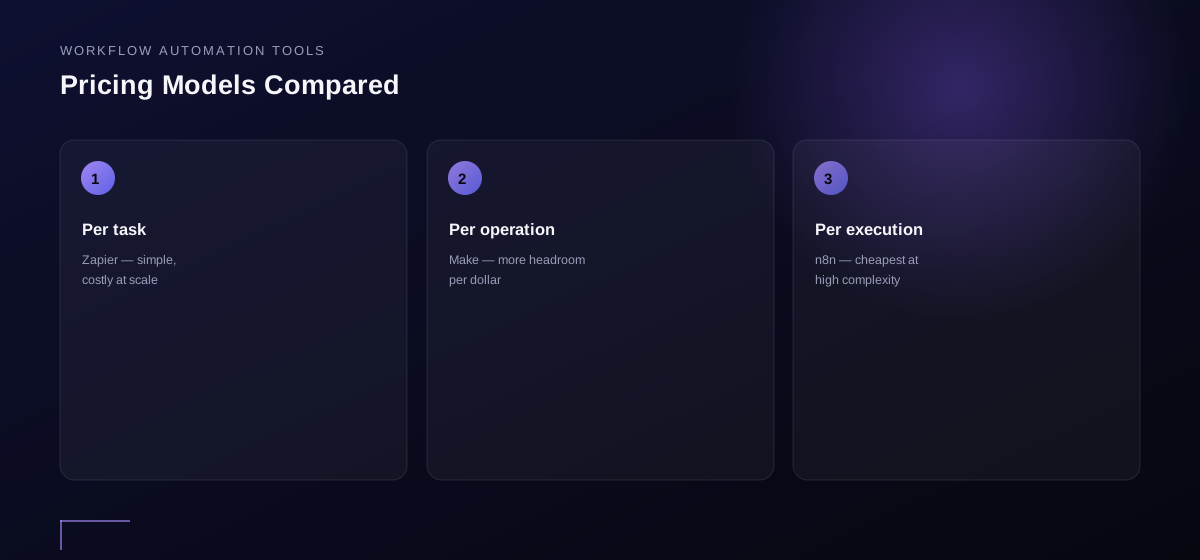
General automation platforms. Zapier, Make, n8n, and Airtable live here. These tools connect almost any two systems through trigger-and-action logic: when X happens in system A, do Y in system B. They have hundreds or thousands of integrations, relatively straightforward logic, and pricing based on “operations” — every time a task runs, a fraction of the plan’s allowance gets used, and that adds up fast at real volume.
Specialized platforms. Tools built for one specific use case — HubSpot for sales workflows, Shopify for e-commerce automation. These usually integrate more deeply with their specific domain and carry more built-in logic, but offer less flexibility for workflows that cross multiple domains.
The confusion happens because some general platforms have grown specialist features in several domains over time. When picking among workflow automation tools, it helps to know which category the actual task belongs to first.
How to choose among workflow automation tools
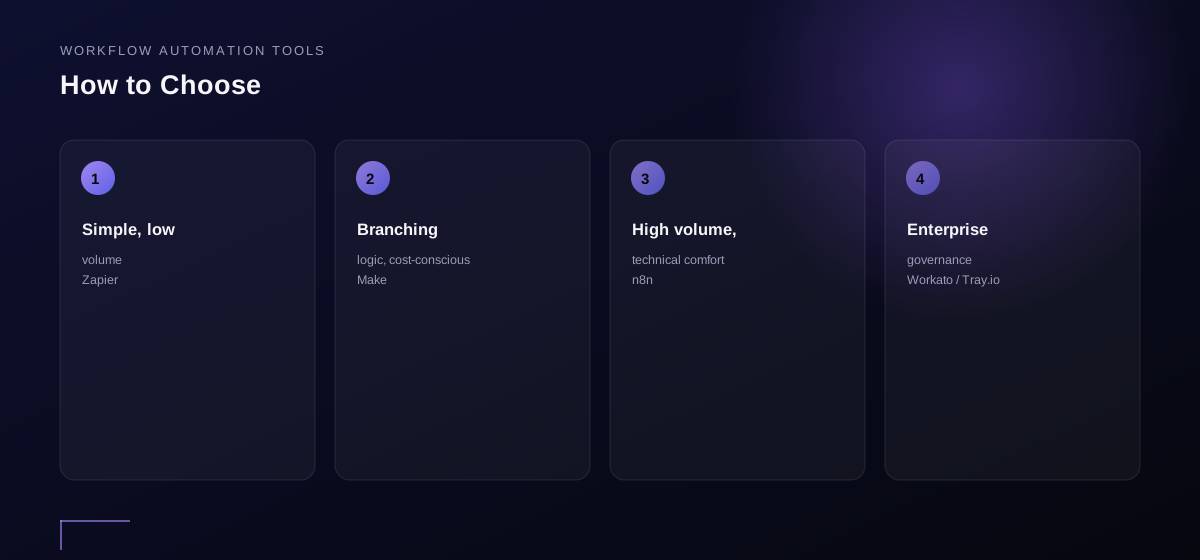
Four factors actually matter here, and none of them is “feature count.”
Depth on the integration that matters most. Before testing anything, identify the one system your workflow depends on hardest — a CRM, an email platform, a database. The best fit is whichever tool handles that system deeply, meaning it can reach every field you need, not just a generic subset. Ask each vendor: “Can I create a contact with these seven custom fields and update the deal status to this exact value?” If the answer is “that needs a developer,” cross it off.
Realistic pricing at 3x your current volume. Every platform looks cheap during a trial with two workflows running a handful of times a day. The real question is what it costs running 30 workflows at daily production volume. This is where comparisons usually fail — teams pick whatever looked cheapest at trial volume, then get a bill six months later that doesn’t match expectations. Most platforms that advertise “unlimited workflows” still meter every operation underneath.
Learning curve for your team’s technical level. Zapier is easier to learn than Make; Make is easier than n8n. That’s not because one is objectively better — Zapier hides more of the technical complexity, which caps how complex a workflow you can build. Advanced logic costs learning time somewhere; know which trade-off your team can actually absorb.
How failures get handled and logged. When something breaks — and it will — can you see what happened? Can you replay just the failed run instead of starting over? Do you get alerted automatically? Most platforms handle this adequately, but a few leave you blind, and you only find out something failed when a customer complains.
Four workflow automation tools that actually matter to small teams
No ranking here — “best” depends entirely on which integrations matter to you — but here’s what each one actually does and when teams reach for it.
Zapier. The oldest general automation platform, with the widest integration catalog, the simplest interface, and the highest per-operation cost once volume climbs. Most teams start here because it’s the easiest to learn and the most widely documented. It’s the right call for simple trigger-and-action workflows without heavy conditional logic, especially for non-technical founders.
Make (formerly Integromat). Essentially “more power, less hand-holding.” Its visual, node-based builder handles branching logic more naturally and its pricing goes further per dollar at scale. The trade-off is a steeper learning curve. Teams typically move here once Zapier’s costs or logic limits start to bite.
n8n. The open-source, execution-based option — self-hostable, or available as a cloud product. It’s more powerful than Zapier or Make in terms of what you can build, but the learning curve is the steepest of the three. n8n’s own self-hosting documentation is worth reading before committing, since it explains the infrastructure trade-offs plainly. It’s the right choice for teams with a developer on hand and genuinely complex logic to automate, and self-hosting removes per-operation billing entirely.
Airtable Automations. Technically a database first, but its built-in automation features cover a surprising amount of ground when a workflow lives entirely inside your data — triggering actions on record changes, updating fields on conditions, sending notifications. Teams often overlook it as an automation option because it reads as “just a database.”
How workflow automation tools comparison usually goes wrong
The most common mistake: comparing platforms by feature count instead of by the one thing each one needs to actually do. Ten thousand integrations aren’t more useful than five hundred if the one system you depend on isn’t well-supported in either list. The right sequence is backwards from how most people approach it — start with the systems that must connect, then find the tool that handles those well, not the other way around.
HD Media Insight: price the tool at 3x your current volume, not today’s
A per-task or per-operation platform almost always looks affordable during evaluation, because evaluation happens at the least representative volume an account will ever see — one or two workflows, running occasionally.
Automation tends to compound: once the first workflow proves useful, more processes get routed through the same system, and task counts climb faster than most initial estimates assume. The realistic comparison isn’t what a tool costs today — it’s what it costs at three times today’s volume, since that’s roughly where most growing setups land within a couple of quarters. A platform that wins on price now can lose badly on price later, and switching after workflows are already built is far more disruptive than picking the right pricing model up front.
Common mistakes when choosing a workflow automation tool
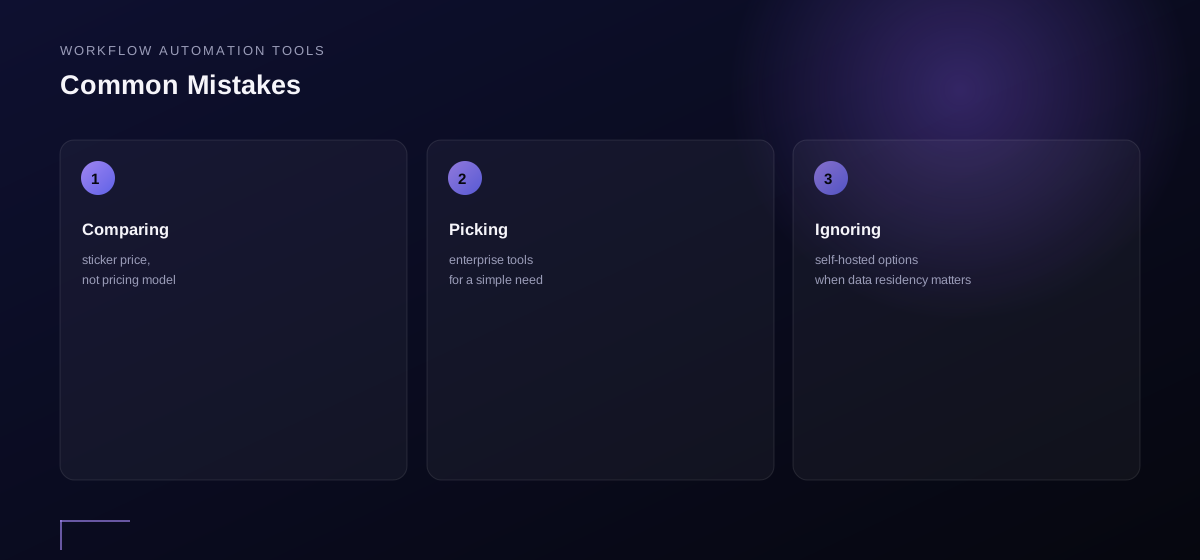
Comparing by feature count instead of the integration that actually matters. An impressive list means nothing if your critical system isn’t handled well within it.
Picking the cheapest option during evaluation. Trial volume is usually a fraction of real volume. Test at realistic scale before deciding.
Not planning for switching. Almost no team stays on one platform forever. Most end up running two or three in parallel — architect for that instead of assuming one tool covers everything permanently.
Assuming “no-code” means no technical support needed. Even the simplest platform requires debugging when something fails. Budget for someone who understands how the system works, even if they didn’t build it from scratch.
Frequently asked questions
Can I use multiple workflow automation tools at once?
Yes, and you probably will. Most teams run one tool for simple trigger-action workflows and another for more complex branching logic. The friction is in learning multiple systems and managing costs across them, not in combining tools.
What happens if my automation tool goes down?
Most platforms carry 99.9% uptime guarantees. The real risk isn’t downtime — it’s whether you’ve built alerting so you know immediately when a workflow fails, rather than finding out from a customer.
Can I build AI-powered workflows with these platforms?
Most general automation platforms now support AI through integrations with model providers. You can call an AI API mid-workflow, pass data through it, and route the output — that’s using AI as one step, not native agent reasoning, and it’s often exactly what’s needed.
What’s the difference between a no-code tool and custom API integration?
No-code platforms abstract away the API work so non-developers can build workflows. Teams with developers on staff can get more power and lower cost from custom integration. The trade-off is speed and simplicity versus raw flexibility.
Summary
Choosing workflow automation tools should start with the integration that matters most, not feature count. Price options against realistic future volume, not trial volume. Simple workflows fit on Zapier; complex ones need Make or n8n. Airtable handles data-centric automation well. Most teams end up running more than one tool, and that’s normal — pick platforms matched to your team’s technical level, plan for failures, and budget for someone to maintain them even when the label says “no-code.”
Ready to evaluate your workflow automation tools stack?
A 30-minute review of your top five workflows, their integrations, and your volume forecast is the fastest way to choose the right platform. A strategy call maps your actual needs against real pricing and capabilities. Book a Free Strategy Call →